Adding Content
You can populate a knowledge base two ways: by uploading documents directly or by crawling a website URL.Upload Documents
1
Open the Knowledge Base dashboard
Navigate to Knowledge Base in the left sidebar. The dashboard lists all your existing sources with their processing status: Completed, Review Pending, or Failed.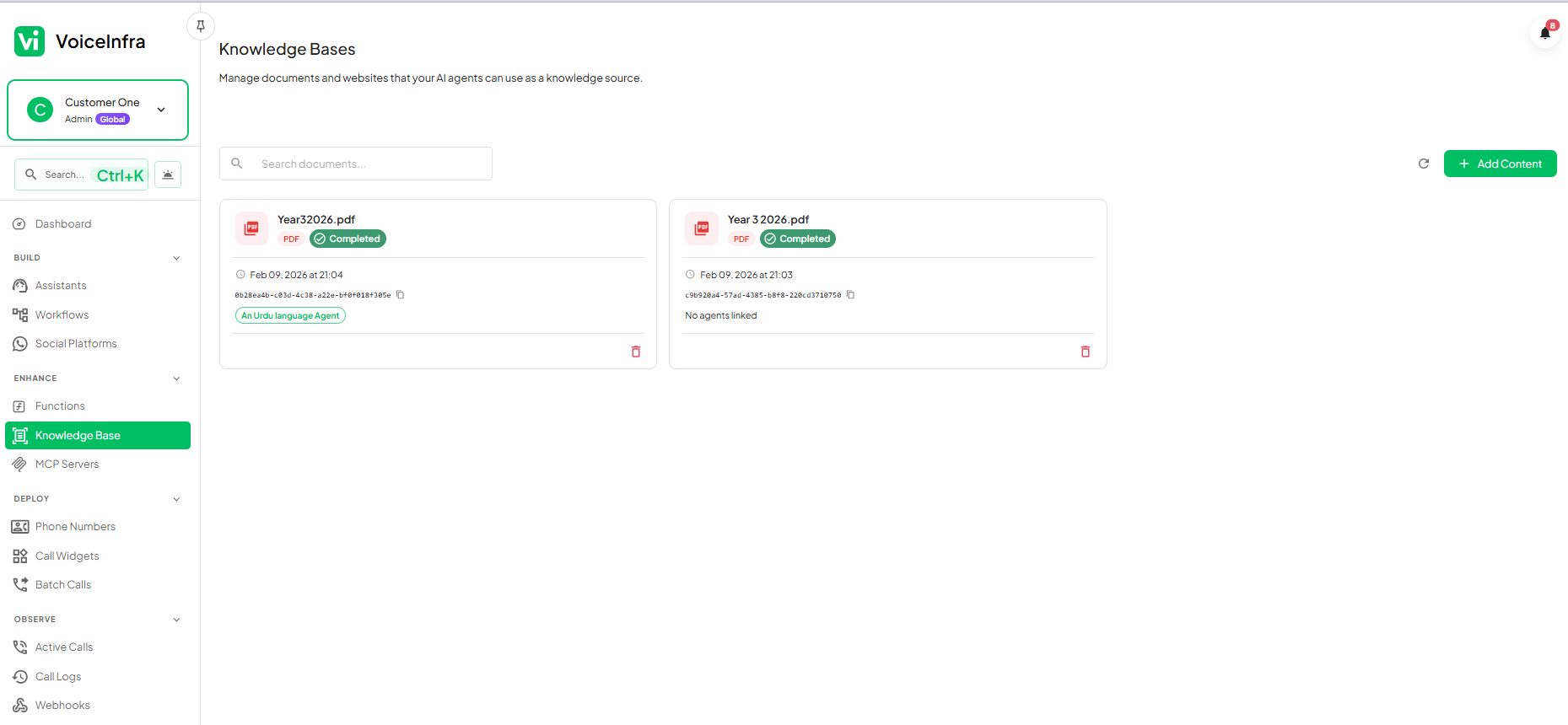
2
Upload your files
Click Add Content and select Upload File. Drag and drop your files or browse to select them. You can upload multiple files at once.Supported formats: PDF, DOCX, DOC, TXT, up to 10 MB per file. There is no limit on the number of documents you can upload.
3
Wait for processing
The platform extracts and indexes the content automatically. Most documents complete in under a minute. The status updates to Completed when the document is ready.
4
Attach to an agent
Open any agent’s configuration and navigate to the Knowledge Base tab. Select the documents you want that agent to reference. One document can be attached to as many agents as you need.
Crawl a Website
Enter any public URL and VoiceInfra fetches, parses, and indexes the content. Choose the crawl depth that matches how much of the site you want to capture.
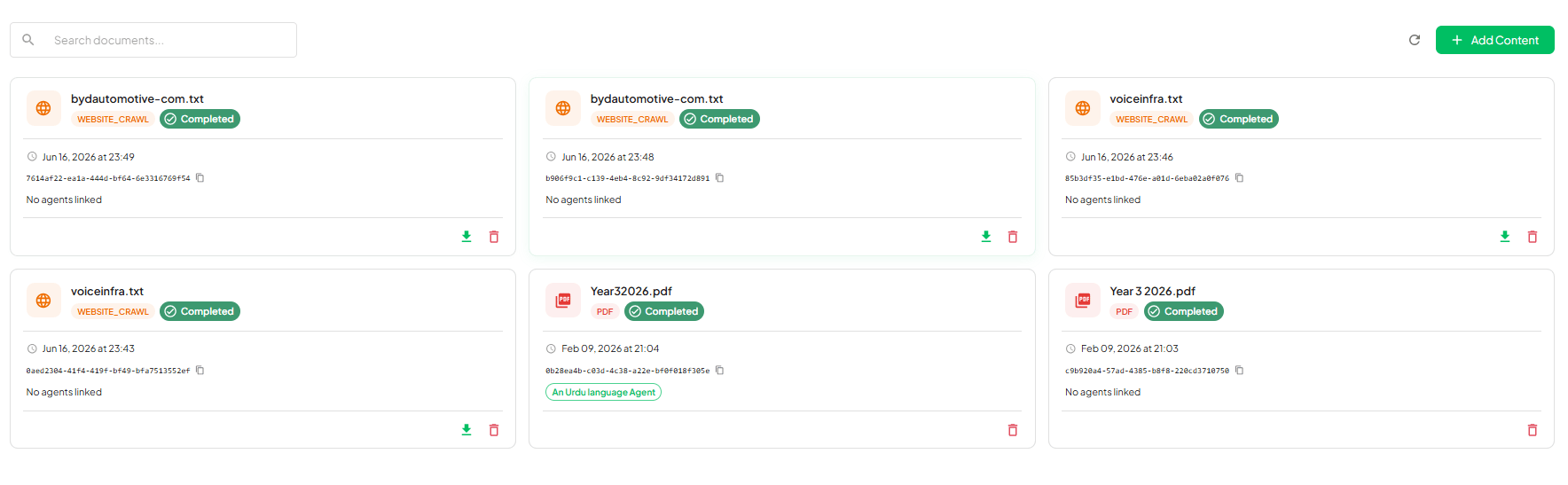
After the crawl completes, VoiceInfra enters a Review Pending state before committing the content to your knowledge base:
- Review extracted pages — see every page title, URL, and full content preview side by side.
- Edit content — fix formatting issues, correct extracted text, or add context the crawler may have missed.
- Discard irrelevant pages — exclude pages you don’t want the agent to reference, such as blog posts, legal boilerplate, or unrelated sections.
- Confirm — publish only the pages you’ve approved. The agent never sees content you discarded.
How Retrieval Works
When a caller asks a question that requires business-specific knowledge, the agent issues a semantic search query against your knowledge base in real time. Semantic search matches meaning, not just keywords, so a caller asking “what’s your refund policy?” matches a document section titled “Returns and Exchanges” even though the words differ.- Retrieval latency — under 100ms in production, so conversations stay natural with no perceptible pause
- Concurrent scale — retrieval is optimized for high-volume simultaneous calls
Sharing Across Agents
A single knowledge base document can be attached to unlimited agents simultaneously. This means you can upload your product catalog once and share it across your sales agent, your support agent, your website widget, and your WhatsApp agent, all from one source of truth.Technical Specifications
Frequently Asked Questions
What file formats are supported?
What file formats are supported?
You can upload PDF, DOCX (Microsoft Word 2007 and later), DOC (older Word formats), and TXT (plain text) files. Each file can be up to 10 MB. There is no limit on the number of documents you can add to a knowledge base.
Can I edit crawled content?
Can I edit crawled content?
Yes. After a crawl finishes, VoiceInfra puts the content in Review Pending status before it goes live. You can read through every extracted page, edit the text directly in the review interface, and discard any pages you don’t want included. Only the content you explicitly confirm gets published to the knowledge base.
How long does crawling take?
How long does crawling take?
Crawl duration depends on the depth you choose and the size of the target website:
- Quick (single page): 30 – 60 seconds
- Standard (page + 1 level, 10–50 pages): 2 – 5 minutes
- Deep (page + 2 levels, 50–200+ pages): 5 – 10 minutes for large sites